
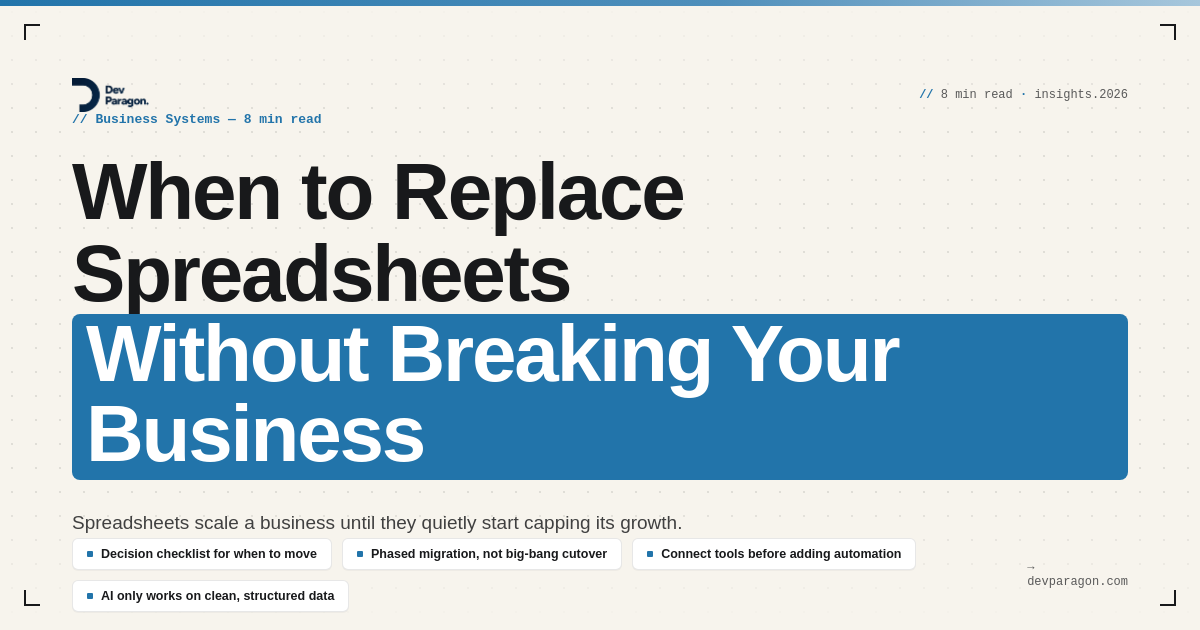
The spreadsheet that runs your business
Your ops lead has three tabs open right now: the order tracker, the inventory sheet, and a "master" customer list that's really just a copy of a copy. Every morning she moves numbers between them by hand. Nobody assigned her this job. It just accreted, one exception at a time, until checking and re-checking spreadsheets became half her week.
This is not a story about someone being disorganized. It's what happens to almost every SMB that grows past the point where one person can hold the whole business in their head. The spreadsheet was the right tool in year one. By year three it's the thing quietly capping how fast you can grow. Everyone half-knows it. The question isn't whether to replace spreadsheets eventually, it's when, and nobody wants to be the one who gets the timing wrong.
That hesitation is rational, by the way. Spreadsheets fail in slow, deniable ways: a wrong formula here, a stale VLOOKUP there. A botched system migration fails loudly, in front of customers, during payroll week. So teams stay one release too long. Here's how to tell when you actually are, and what to do about it without blowing up your Tuesday.
Why spreadsheets take over in the first place
Nobody sits down and decides "we'll run inventory, orders, and commissions off eleven interlinked Google Sheets." It happens because spreadsheets solve the immediate problem cheaply. You need to track 40 customers, and a sheet does that in ten minutes, free, no procurement, no IT ticket. Six months later you have 400 customers, three people editing the same file, and a column someone renamed that broke four formulas nobody noticed for a week.
Spreadsheets are flexible, which is exactly the trait that makes them dangerous at scale. There's no schema enforcing that "Status" only contains five valid values. There's no permission model beyond "can edit" or "can view." There's no audit trail showing who changed the discount column on the pricing sheet last Thursday. Every one of those gaps is invisible when three people use the file. At thirty people, they're how a shipped order gets billed twice, or a customer's contract terms get overwritten by whoever opened the sheet last.
The tell is usually a phrase, not a metric: "let me double-check that in the sheet." If your team says that multiple times a day, the sheet has become your system of record without anyone deciding it should be.
Why the common fixes fail
There are two failure modes, and most companies pick one of them.
The first is doing nothing until it breaks. You keep patching: a new tab, a new color code, a "V2" file, because replacing the spreadsheet feels like a project nobody has time for. This works until a pricing error ships to a customer, or your bookkeeper spends six hours reconciling QuickBooks against three different versions of the same sheet because two people were editing offline. At that point the cost of staying was always higher than the cost of switching. You just never had to see the bill until now.
The second is overcorrecting: buying a full ERP or a heavyweight CRM and trying to move everything over in one sprint. This is the more expensive mistake, because it fails for reasons that have nothing to do with the software. Nobody cleaned the data before the migration, so the new system launches full of duplicate customers and mismatched SKUs. The team wasn't trained, so they keep a shadow spreadsheet "just in case," which defeats the entire point. And because the rollout tried to cover every department at once, the first bug (and there's always a first bug) stops the whole company instead of one team.
We've watched both patterns up close. The businesses that come out ahead don't do a big-bang replacement and they don't wait for the fire. They pick one workflow, connect it properly, and expand from there.
The real tradeoff
Staying on spreadsheets and moving to a system aren't morally different choices. They're both bets, and each has a real cost.
Stick with spreadsheets, and you're betting that:
- Your data volume and team size stay roughly where they are
- The cost of occasional errors (double-billed orders, missed follow-ups, wrong inventory counts) stays lower than the cost of a rebuild
- No customer, investor, or partner will ever ask "can you show me an audit trail for that"
Move to a connected system, and you're betting that:
- The migration is scoped tightly enough that a bad week doesn't take down billing or fulfillment
- Someone owns data cleanup before go-live, not after
- The team will actually adopt the new tool instead of quietly maintaining the old sheet on the side
Neither bet is free. The mistake is treating "replace the spreadsheet" as an obviously correct decision instead of a tradeoff you should make on purpose, with eyes open about what breaks if you're wrong.
A decision checklist, not a gut call
Before you touch anything, run your situation against these signals. If you hit three or more, the spreadsheet is actively costing you money, not just annoying you.
- More than two people edit the same file regularly, and you've had a version conflict or overwritten data in the last quarter
- You've caught a real error (wrong price, duplicate order, missed invoice) traced back to stale or mis-copied spreadsheet data in the last 90 days
- A new hire needs more than a day of tribal knowledge just to know which tab is "the real one"
- You can't answer a basic business question (total orders this month, current inventory by SKU, which leads are stuck) without someone manually pulling and reconciling multiple sheets
- The sheet is the only record of something that matters legally or financially (contracts, pricing approvals, refunds) and has no access log
If you hit fewer than three, you're probably fine to keep going a while longer — just watch for the tipping point rather than ignoring it. Replacing a system that isn't actually hurting you yet just moves the risk from "spreadsheet errors" to "botched migration," with no upside.
How to replace spreadsheets without the big-bang failure
If you do decide to move, resist the urge to replace everything at once. The order that actually works, over and over, in businesses we've helped:
- Pick the single workflow causing the most pain. Usually order-to-cash, lead-to-close, or inventory-to-fulfillment. Not "replace all our spreadsheets." One workflow.
- Define what "one source of truth" means for that workflow. Which system owns the customer record, which owns the order status, and where each other tool (QuickBooks, Stripe, HubSpot, your warehouse app) reads from or writes to it instead of keeping its own copy.
- Clean the data before you migrate it, not after. Duplicate customers, dead SKUs, and inconsistent status labels don't get better by moving them into a nicer-looking tool.
- Connect the tools you already use via their APIs or a middleware layer (Zapier, Make, or custom integration work) so data flows automatically instead of someone re-typing it. The real time savings usually live here, not in the new software itself, but in killing the manual re-entry between systems.
- Keep the old spreadsheet read-only for a defined window, not deleted, so people trust the new system enough to stop opening the old one out of habit.
- Expand to the next workflow only after the first one is genuinely stable, meaning nobody's quietly re-checking it in a spreadsheet anymore.
This is slower than a company-wide cutover. It's also the version that doesn't end with your team maintaining two systems in parallel for a year.
Where AI actually fits, and where it doesn't
Once a workflow lives in one connected system, plenty of the manual work in it becomes genuinely automatable: reconciling orders against payments, flagging inventory that's about to run out, drafting a status update instead of someone typing it from scratch. That's real time back.
Try to point AI at the problem before the data is connected, though, and it just gets you a faster, more confident version of the same mess. An AI tool asked to "summarize this month's orders" across three disconnected spreadsheets with inconsistent formatting will happily give you a wrong answer with total confidence. It has no way to know the SKU column means something different in each file. AI is good at acting on structured, reconciled data. It's not going to reconcile that data for you first. Fix the foundation, then let the automation loose on it, not the other way around.
If you're not sure which bucket you're in
Most founders already sense which workflow is the problem one. It's the process someone complains about in the Monday standup, or the report that takes half a day to assemble every month. That's usually the right place to start, not the whole business at once.
If you want a second opinion before committing time and money to a rebuild, we run a free 30-minute Process Teardown: we map one of your painful workflows, show you exactly where the hours are going, and tell you honestly whether the fix is a system change or something smaller. No pitch, no obligation. You can also see how we've connected other SMBs' scattered spreadsheets and tools into one system before adding automation and AI.
0 Comment