
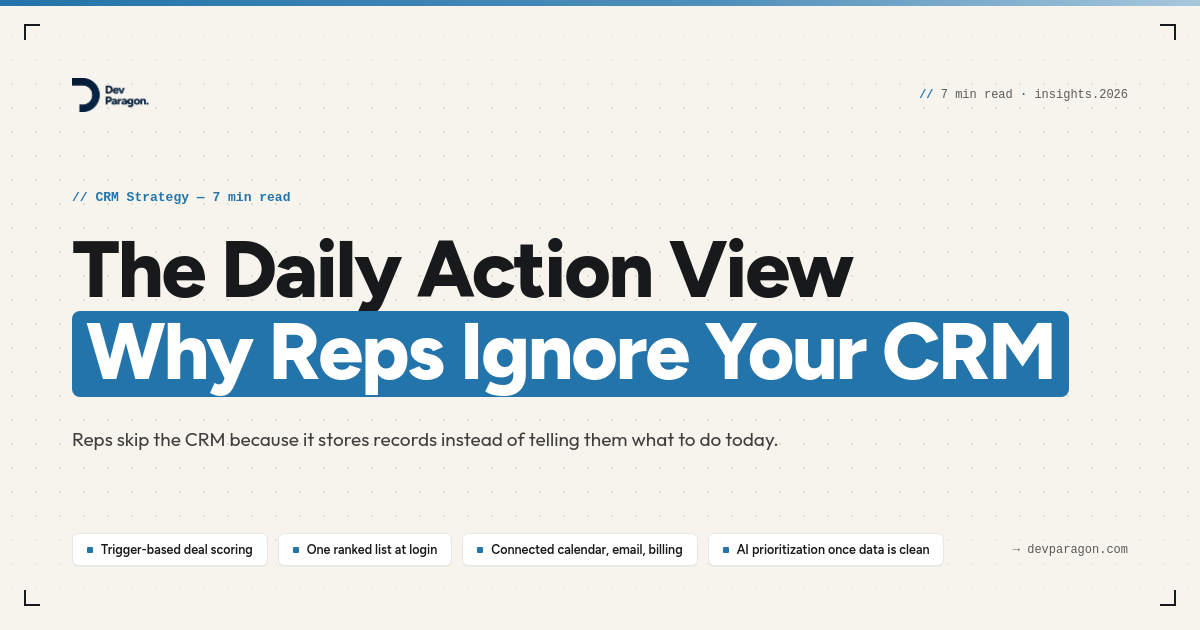
The Monday morning stare
Your best rep logs into the CRM Monday morning and just stares at it. Three hundred and forty open deals, no sort order that means anything, and a homepage that shows "Recently Viewed" instead of "What Actually Matters Today." She closes the tab and opens her inbox instead, because at least her inbox tells her who emailed her back. What she needed was a CRM daily action view — a short list of the accounts that actually need her today. What she got was a database.
That gap is the real reason CRM daily action view design gets ignored by most sales teams, and it has nothing to do with reps being lazy or the tool being "too complicated." The CRM was built to store records. Nobody built it to tell a person what to do at 9am.
Most SMB leaders diagnose this as an adoption problem. It isn't. It's a design problem, and it shows up the same way in every company that's added a CRM in the last decade: usage spikes right after the rollout, dies within six weeks, and by month three the sales manager is back to running the pipeline off a spreadsheet she keeps quietly on the side.
Why you need a CRM daily action view, not just a system of record
CRMs — HubSpot, Salesforce, Pipedrive, all of them — are databases with a sales-shaped skin on top. Their core job is to store every deal, contact, and touch so leadership can report on the business. That's a legitimate need. But it's a manager's need, not a rep's need.
A rep doesn't wake up wanting to know the total pipeline value in the Northeast region. She wants to know: who do I call before lunch, whose contract renews this week, and which of my five stalled deals is actually worth chasing today. A list of 340 records sorted by "Last Modified Date" answers none of that.
So reps route around the tool. They build their own triage system in their head, in a notebook, in a second spreadsheet, or in whatever their inbox surfaces for them. The CRM becomes the place they update after the work is done, not the place that tells them what work to do. That's backwards, and it's why activity logging always lags reality — a topic we've written about before. The logging problem and the action-view problem are cousins, but they're not the same fix.
The fixes everyone tries first, and why they don't stick
Three responses show up over and over when a CRM goes quiet, and all three treat the symptom instead of the cause.
Mandate logging. Management makes activity logging a KPI. Reps comply for a month, log garbage data to hit the number, and the CRM fills up with noise that makes reporting worse, not better.
Add more dashboards. Someone builds a fancier pipeline view with more filters and more columns. This helps managers. It does nothing for the rep who still has to manually figure out which of 40 accounts needs attention before her 10am call.
Buy an AI sales assistant. This is the one that fails quietest and costs the most. A vendor demo shows an AI ranking "next best actions" beautifully, on their clean demo data. Six weeks after rollout, the recommendations are wrong half the time, because the AI is scoring deals using stage fields nobody updates, close dates that were set once in 2023, and contact records duplicated four times across the account. Garbage in, confident-sounding garbage out. The team stops trusting it within a sprint, and now you've spent money making adoption worse.
None of these fix the actual gap, which is that nobody defined what "the next right action" even means for this specific sales motion, and the data needed to calculate it isn't reliably connected in one place.
The tradeoffs, honestly
Building a real daily action view isn't free, and it's worth being straight about the costs before you start.
- Rules-based triage is fast to build but needs maintenance. A simple scoring model — deal value, days since last touch, days to close date, renewal proximity — can be running in a couple of weeks. But someone has to own it and adjust the weights as the sales motion changes, or it goes stale the same way the old dashboards did.
- AI-scored prioritization is more powerful but needs clean, connected data first. An AI model that factors in email sentiment, meeting notes, and billing history can outperform static rules. It also needs those signals actually flowing into one place, structured consistently, before it can produce a ranking anyone trusts. Skip that step and you've bought expensive noise.
- A narrower list beats a complete one. Reps trust a tool that shows them 8 accounts that genuinely need action today over a tool that shows them 80 "at risk" accounts because the threshold was set too loose. Err toward fewer, higher-confidence items, even if it means occasionally missing something.
- This will surface data gaps you didn't know you had. The first time you try to rank "next action" by real signals, you'll find deals with no close date, contacts with no last-touch timestamp, and accounts where billing and CRM disagree on who the point of contact even is. That's not a reason to stop. It's the actual problem, finally visible.
A practical framework for building one
If you're going to fix this instead of buying another dashboard nobody opens, here's the order that actually works.
- Define 4-6 trigger events, not fifty. Examples: no activity in 10+ days on an open deal, a contract renewing within 30 days, an inbound reply sitting unanswered for 24+ hours, a deal stuck in the same stage for longer than your average sales cycle.
- Score, don't just list. Combine deal value, recency, and urgency into a single rank. A $2,000 deal that's gone cold for three weeks and a $40,000 deal with a renewal in nine days shouldn't sit on the same unsorted list.
- Surface one ranked view at login — not a report, not a dashboard with filters, a short list titled something like "Today." If a rep has to click through three tabs to find it, it's already lost.
- Close the loop back into the CRM. When a rep acts on an item, that action should update the record automatically wherever possible, not create a second manual step, or you've just built a fourth place to update instead of fixing the first three.
- Start with rules. Layer AI later, and only after the data behind it is reliable. This is the part teams skip because AI is the exciting part. It's also the part that determines whether the AI layer actually works or just erodes trust for the second time.
Where this connects to the bigger picture
This is really a data-connection problem wearing a UI problem's clothes. A daily action view is only as good as the signals feeding it, and those signals usually live in three or four disconnected places: the CRM itself, the inbox, the calendar, and — if renewals or upsells matter to your business — billing data in something like QuickBooks or Stripe. If those systems aren't talking to each other, your "smart" priority list is really just a guess dressed up nicely.
That's the order we push clients toward every time: connect the systems that hold the real signals into one source of truth first, reconcile what "next action" actually means for your sales motion, then let automation or AI rank the list. Do it backwards — bolt AI scoring onto scattered, unreliable data — and you get a confident-looking list that's wrong often enough that reps stop opening it within a month.
If this sounds familiar
If your reps are quietly running the pipeline out of their inbox instead of your CRM, that's not a training problem you can fix with a better onboarding doc. It's usually a sign the systems around your CRM aren't connected, and nobody's ever mapped what a rep actually needs to see each morning to do their job well.
We do a free 30-minute Process Teardown where we map one of your painful workflows end to end and show you, in hours and dollars, what it's quietly costing you — no obligation, no slide deck. You can see the kind of before-and-after we mean in our case studies, where we've connected scattered tools into one system for teams in exactly this spot. If you want one for your sales process, just reach out.
0 Comment